Create custom note templates in Perci
Create reusable note structures for meetings, assessments and therapy sessions. Perci allows you to standardise documentation, save time, and tailor notes to your workflow.
Create a new notes template in the mobile app
Open format settings
- Navigate to: Profile → Settings → Formatting
- Click + Create new template
Manage your custom notes and default note format preferences here.

Create your template
- Enter a title and description for the note
- Add your first heading and description
- Add additional headings using the + Add heading button
- Once you've added all required headings, click Create template

Optional - save this as your default notes format
If you want, you can set the new template as your default format for all your notes.
Simply click to tick the new format and then click Save Changes.
If you want to keep your current default settings, skip this step. You can always change the format when reviewing a note itself.

Create a notes template in the web app
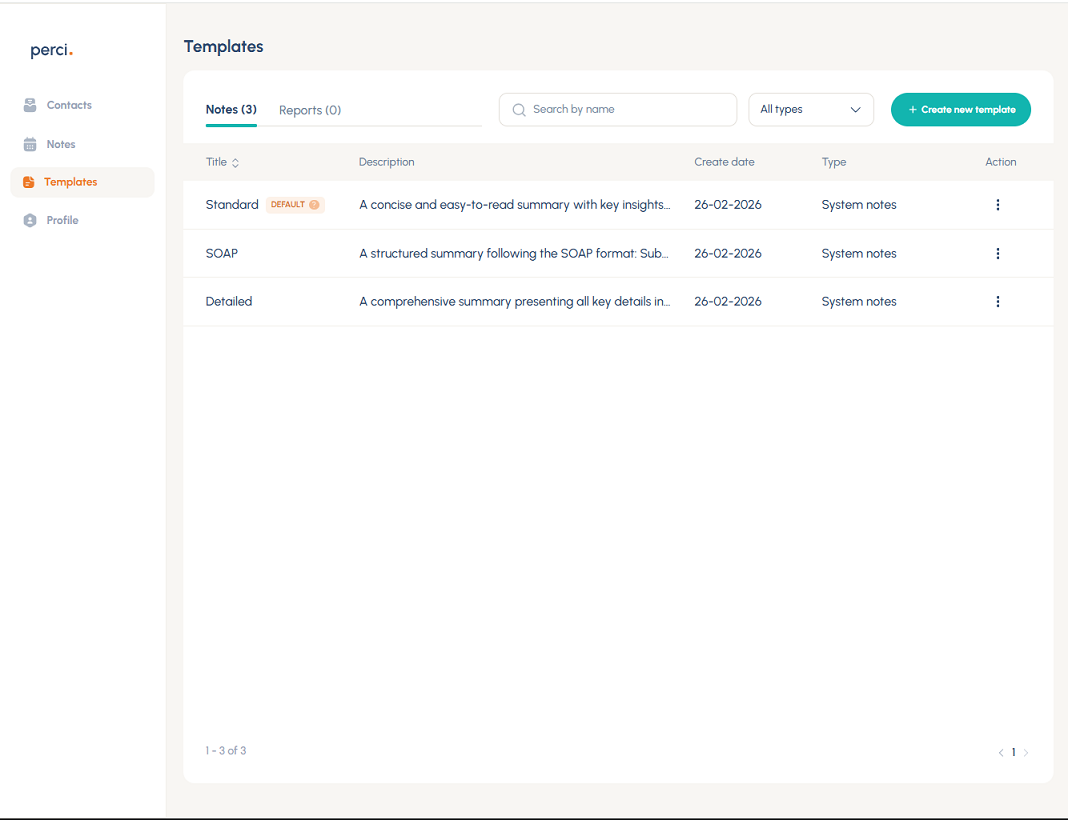
Open templates
- Navigate to: Templates → Notes
- Click + Create new template
Build your note template
- Add a title and description
- Create headings for your note structure
- Add additional headings as required
- Click Create template once your note structure is complete

Optional - save this as your default notes format
If you want, you can set the new template as your default format for all your notes.
Simply click the three dots under Action and choose Set as default.
If you want to keep your current default settings, skip this step. You can always change the format when reviewing a note itself.

Using your custom templates
Set a default template
Set any template as your default under:
- Templates → Set as default (web app)
- Profile → Settings → Formatting (mobile app)
Use different templates per consultation
Choose different note formats for individual meetings or consultations directly within the note itself.