Call routing in Perci
With Perci, you have two flexible options for making and receiving calls. The default option is to use your Perci number, however you can update to use your own number by following the instructions provided below.
Option 1: Use my Perci number
When you make calls from the Perci app, the person you are calling will see your Perci number. And you can simply give your Perci number to clients, other treating parties, etc, and Perci will take notes for your incoming calls when someone calls your Perci number.
Tip: Use this option if you love this idea of a separate Perci number (without the need for a second mobile phone) to help you separate work calls from personal calls.
How do I find my Perci number?
Click on Profile and you will see your number under the heading Your Perci number for calls & texts.
Option 2: Use my own number
Choose this option if you prefer to use your existing phone number for making and receiving calls. Note: To use this option, there are some important steps you need to follow to set up your phone.
Please follow the steps below, and if you encounter any issues, please contact us and we can assist.
Tip: Use this option if you already have a separate work mobile or land line number, and you don't want to transition to a new number.
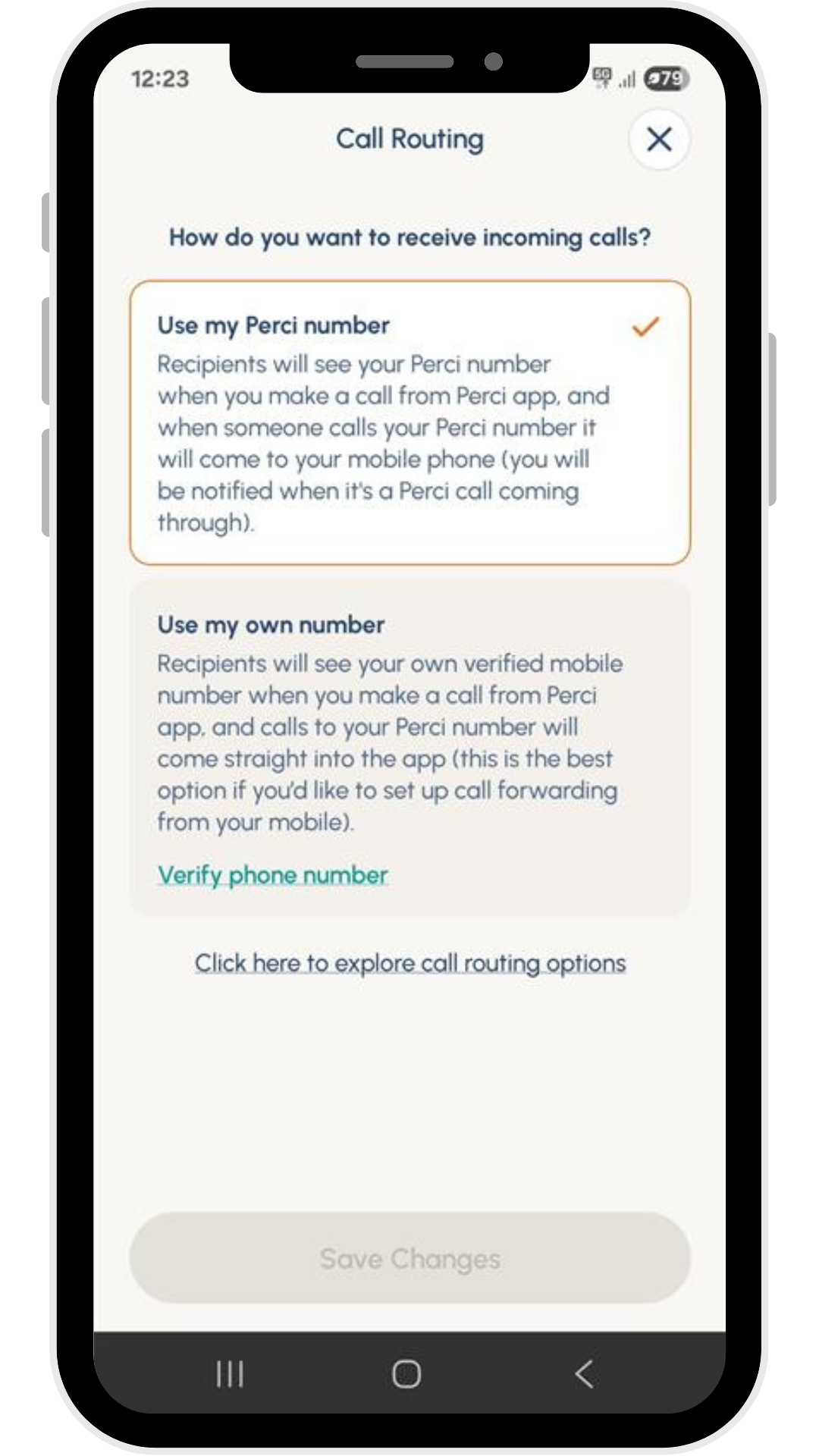
Important steps to use my own number (option 2)
Step 1: Verify your phone number
Simply click the link Verify phone number link in the Perci app, and you will receive a phone call where you need to enter a key. Answer the call - which may come from an international number - and follow the automated instructions.
Step 2: Set up call forwarding on your phone
Please follow the instructions below to set up call forwarding on your phone.
Android
- Open the Phone app
- Tap the three-dot menu in the top-right corner
- Go to Settings > Calls > Call forwarding (or Settings > Calls > Supplementary Services > Call forwarding)
- Choose Voice call
- Tap Always forward
- Enter your Perci number (which can be found under Profile in the app), then tap Enable or Turn on
iPhone
- Go to Settings > Phone
- Tap Call Forwarding
- Toggle Call Forwarding on
- Enter your Perci number (which can be found under Profile in the app)
- Tap Back to save
Need help?
If you run into any issues or need help deciding which option suits you best, please contact our support team.
We're happy to help you get up and running!