Generate reports in Perci
Create professional clinical reports with Perci's AI-assisted report drafting. Perci will also summarise background medical documents.
How to create a report template
You can use our templates, or you can upload your own report templates with your organisation's logo, headings, etc.
If you're starting out, we recommended trying one of the provided templates first - that way you can see what to expect before creating your own. To use one of our global templates, skip this section and jump to Generate a report
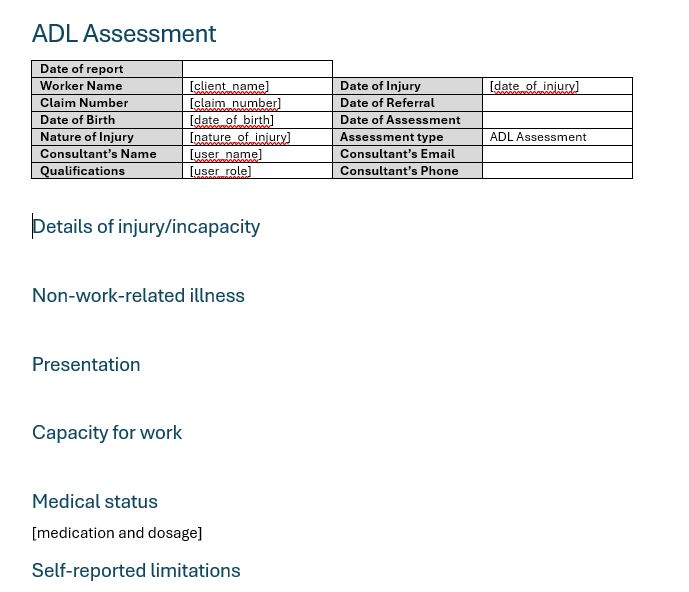
Prepare your template
Prepare a Word document as your template.
What to include in your template:
-
Heading names should either:
- be bold, or
- use a Word Heading style.
Example: Background, Details of injury/incapacity, Medical status. -
If you want subheadings, or want to specify subsections within a section,
use square brackets [...].
Example: Under a heading called Medical status, include a subheading [medication and dosage].
-
NEW
Perci now understands hints. For more complex reports,
you can use brackets (...) to specify what to include
or how a section should be formatted.
Example: Under a heading called Medical status, include a hint such as (list: what claim-related medical information was provided/received, and the accepted compensable condition(s) as reported)
-
NEW
Perci now recognises tables without special formatting.
Simply add a table to your Word template and Perci will populate it with
the relevant information. You can include hints if you like, however these are optional and only if you want to specify the format or
type of information included in the table.
Example: In a medication table, include a hint for (one row per medication)
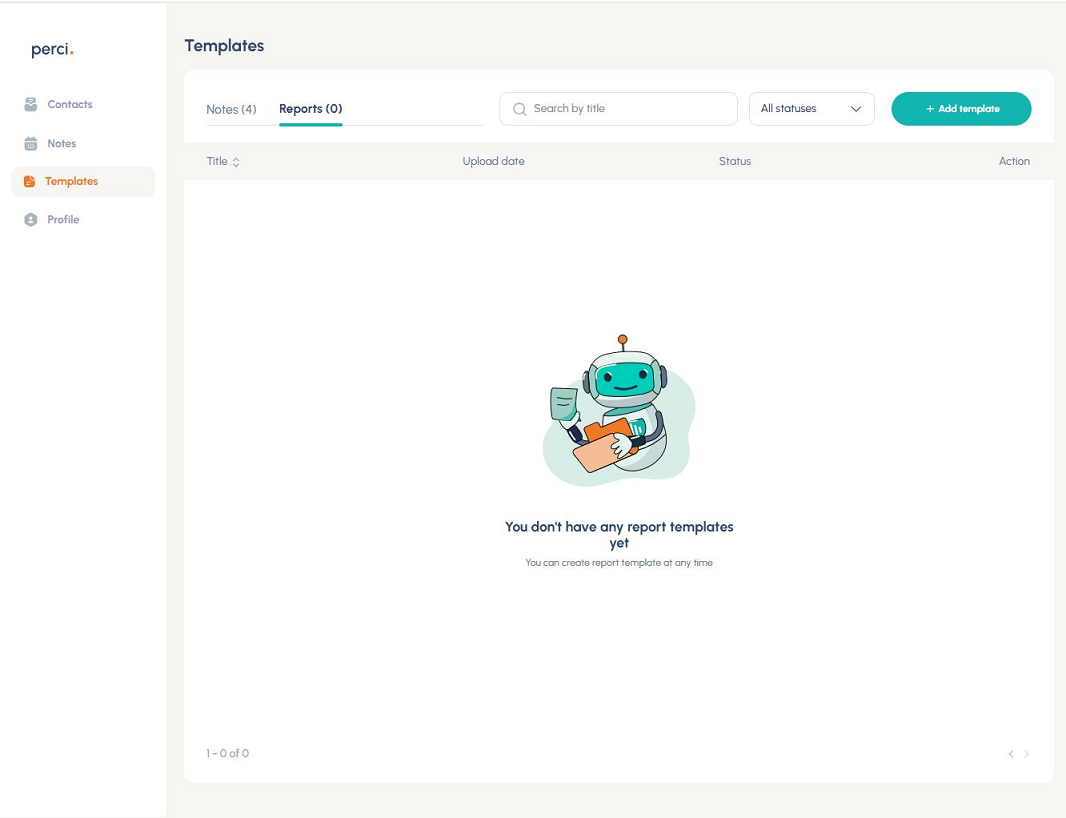
Open report templates
- Navigate to: Profile → Settings → Formatting
- Click + Add template button on the right
Tip: You can also create report templates in the Perci mobile app, under Profile → Settings → Report Templates.
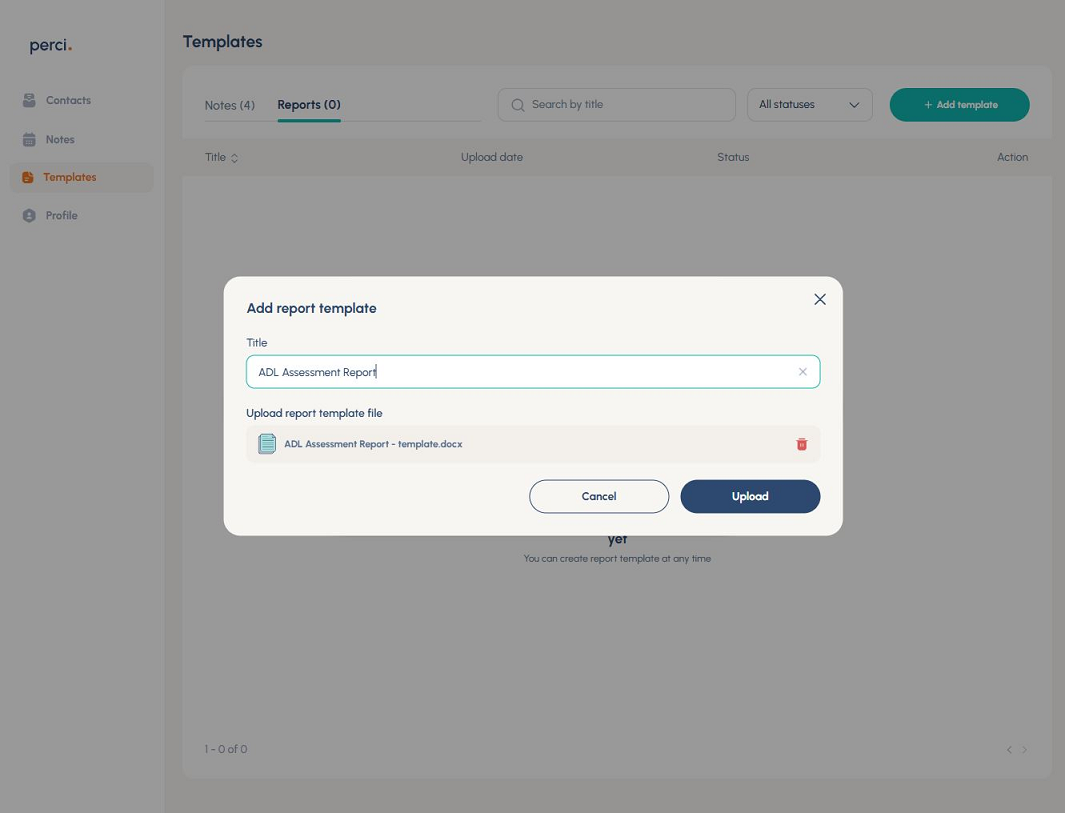
Upload your template
- Enter a title
- Upload .docx file
- Save template
How to generate a report
With Perci you can generate a draft report, with the information from a particular note from a meeting, call or voice note you've made.
Review and approve your note
You won't be able to see the report option, unless you have clicked Approve on the note.
Tip: only information in the approved note will be included in the report, so be sure to review the note before you generate the report.
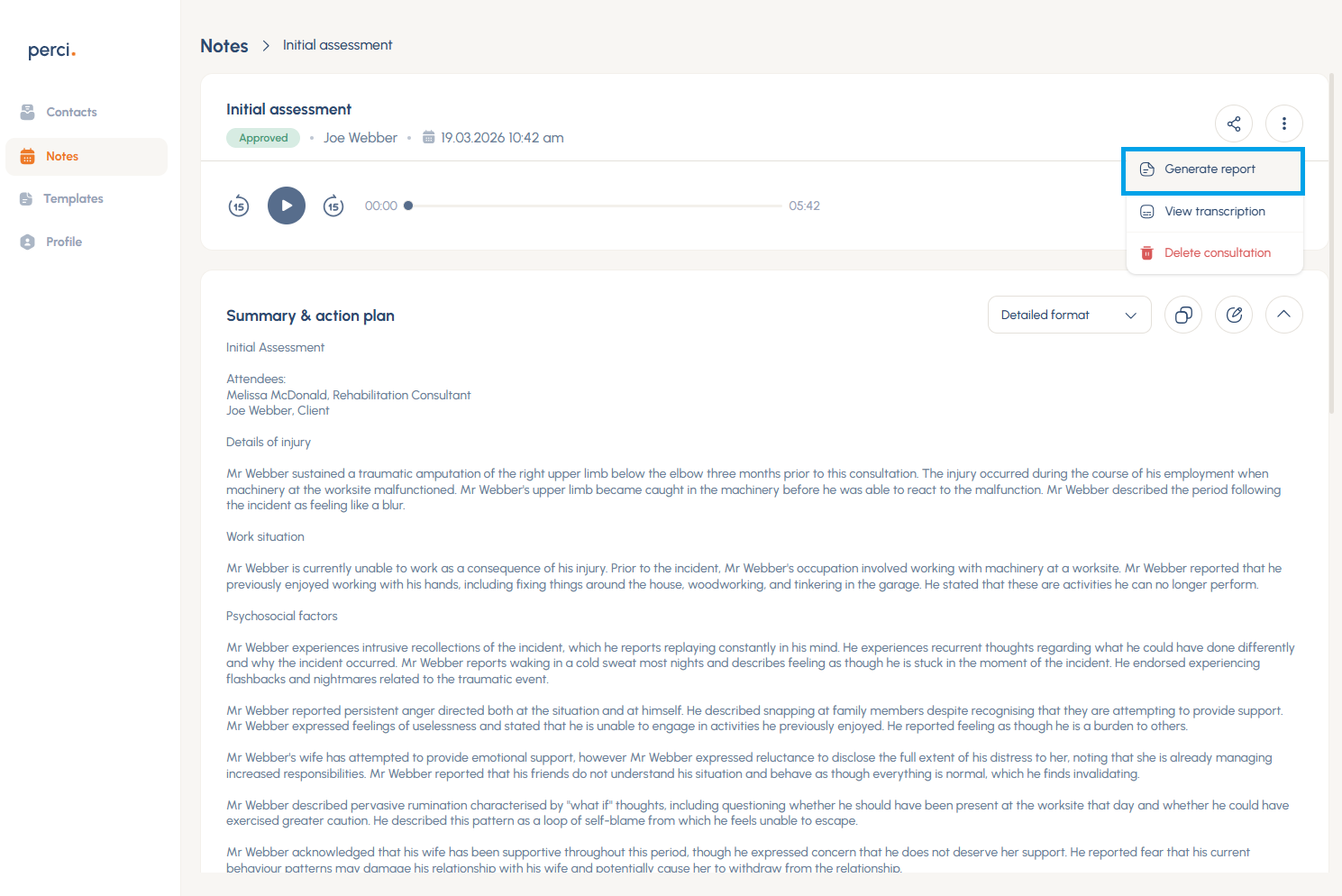
Open report generation
From an approved note, click:
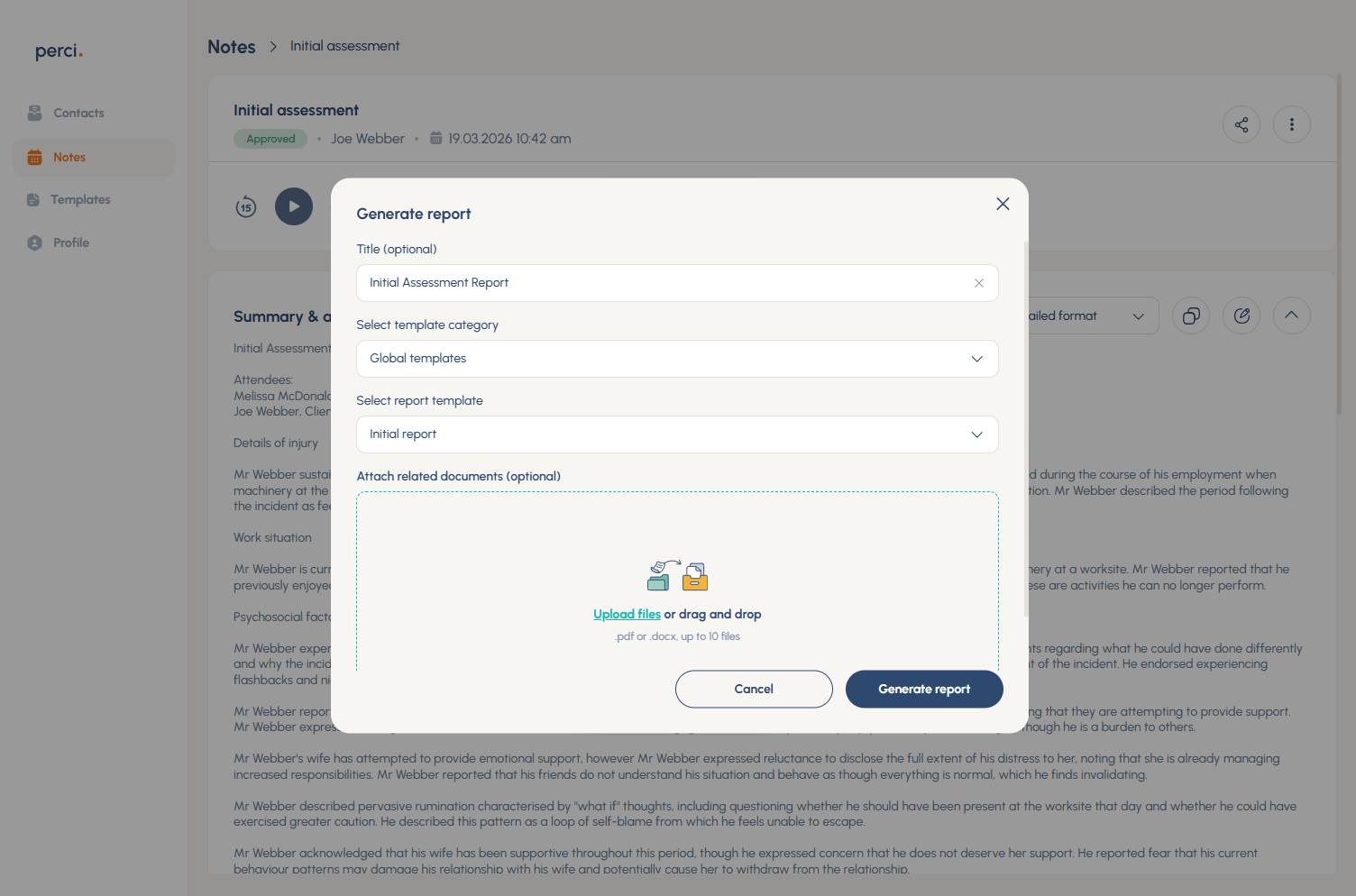
Add report details
- Add a report title
- Select template category
- Choose a report template
- Upload supporting documents (optional)
- Click Generate report
Tip: You can add up to 10 supporting documents, such as referral letters, hospital discharge summaries, previous treatment summaries or assessments.
Perci will summarise these and
place at the top of the generated report, and you (as the expert) can decide what is relevant to include in your final report.
Download report
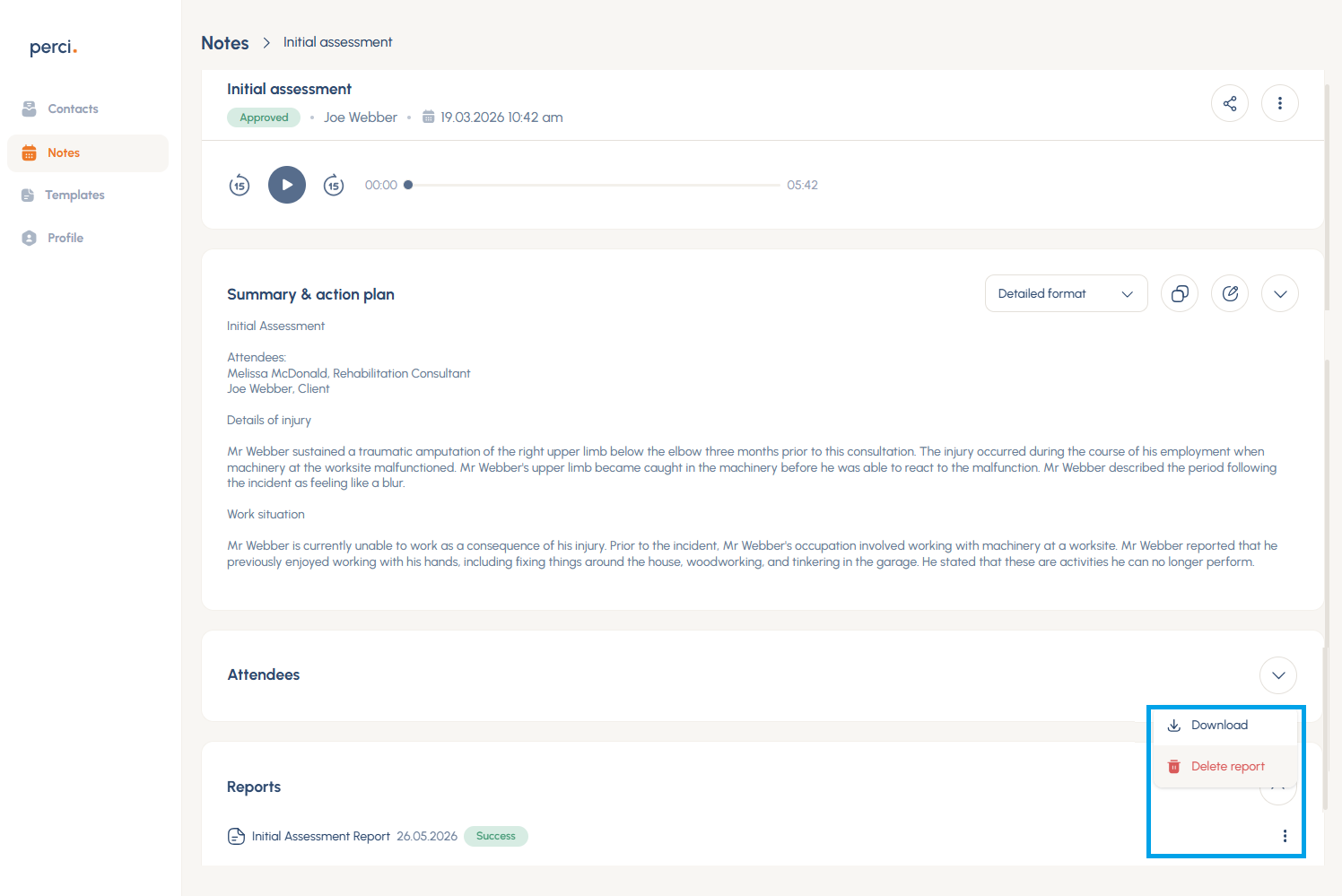
- Wait for processing to complete
- Click the three dots to the right of the report, and choose Download
Want some help? Book a help session with our friendly team.