Getting the most out of Perci
If you are already using Perci and saving time on admin, there are a few simple habits that can make your notes even more useful.
1. Start by choosing the right title
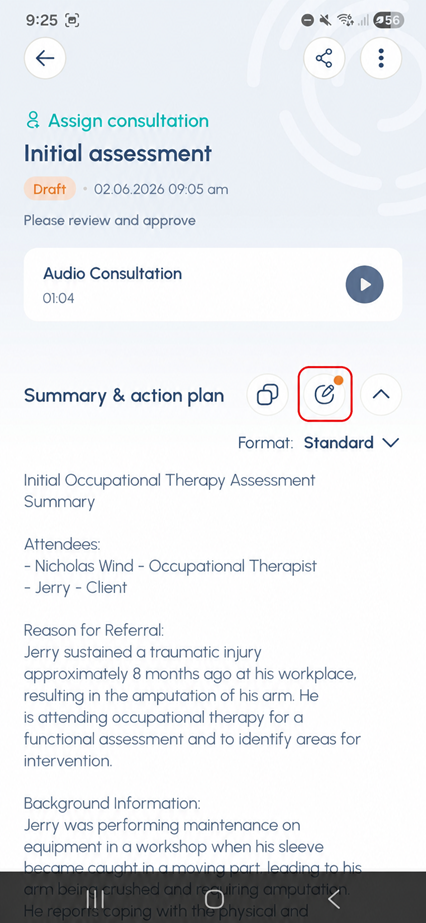
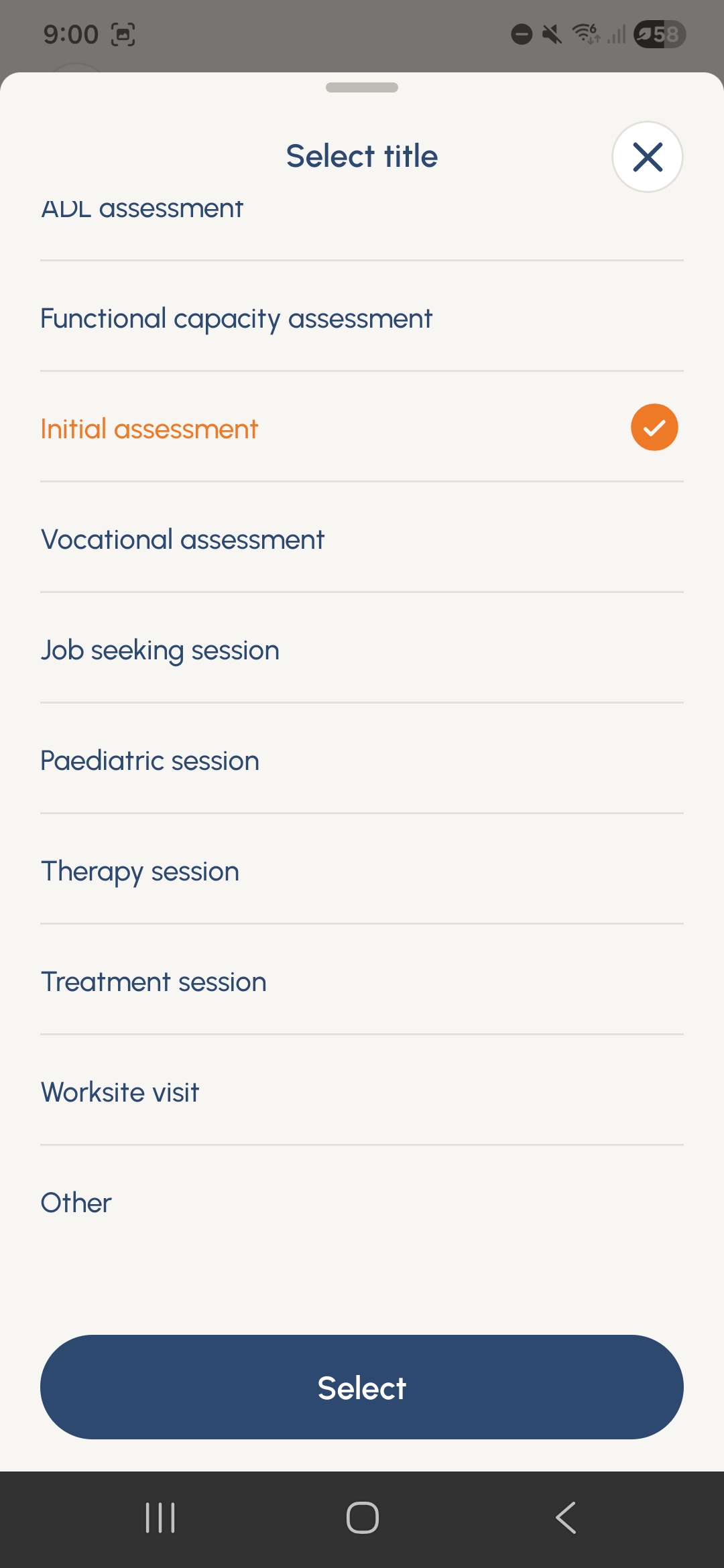
When starting a meeting in Perci by selecting Meeting, choose the title that best matches the session before you begin recording. For example, you might choose Initial assessment or another meeting type that fits the appointment. If the exact session type is not listed, select Other and enter a custom title instead.
This gives Perci important context from the start, helping it create notes that are more closely tailored to your clinical goals and making it easier to track progress over time.
2. Add missed details with voice instead of typing
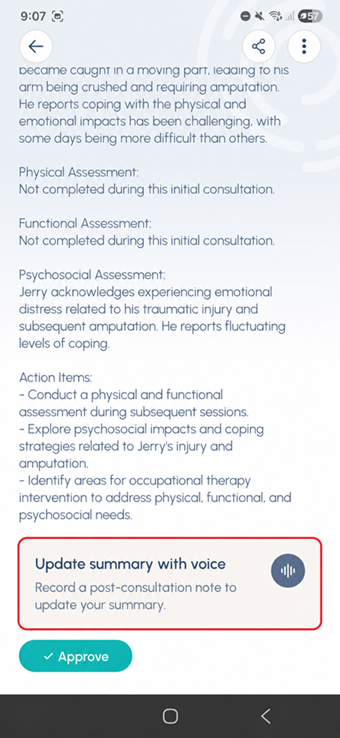
Once your session is complete, Perci will generate a draft note for you. If you realise you forgot to include something important, you do not need to type it all out manually. Open the draft note, scroll to the end of the summary, and tap Update summary with voice.
You can then record the additional detail you want included, such as a clinical observation or something that was not appropriate to say during the session itself. Perci will integrate that update into the note within moments.
3. Review, edit and approve
After any voice updates have been added, you can still make final edits directly in the draft. When the note looks right, tap Approve. Perci supports the note-taking process, but you always remain in control of the final note.
Small changes that save time
These small steps can make a big difference to the quality of your notes. By giving Perci the right context upfront, using voice updates to add anything missing, and reviewing before approval, you can spend less time fixing notes later and more time with patients.
For more support, visit the Perci Resources page for additional resources and FAQs.